

Company Registration
We will review the steps to register a payroll system.
Click on the given link to register your company.
A window, as shown in the image below, will appear.

Click on the 'Pricing Plan' in the header.

By clicking on the 'Pricing Plan,' you will be redirected to three options.
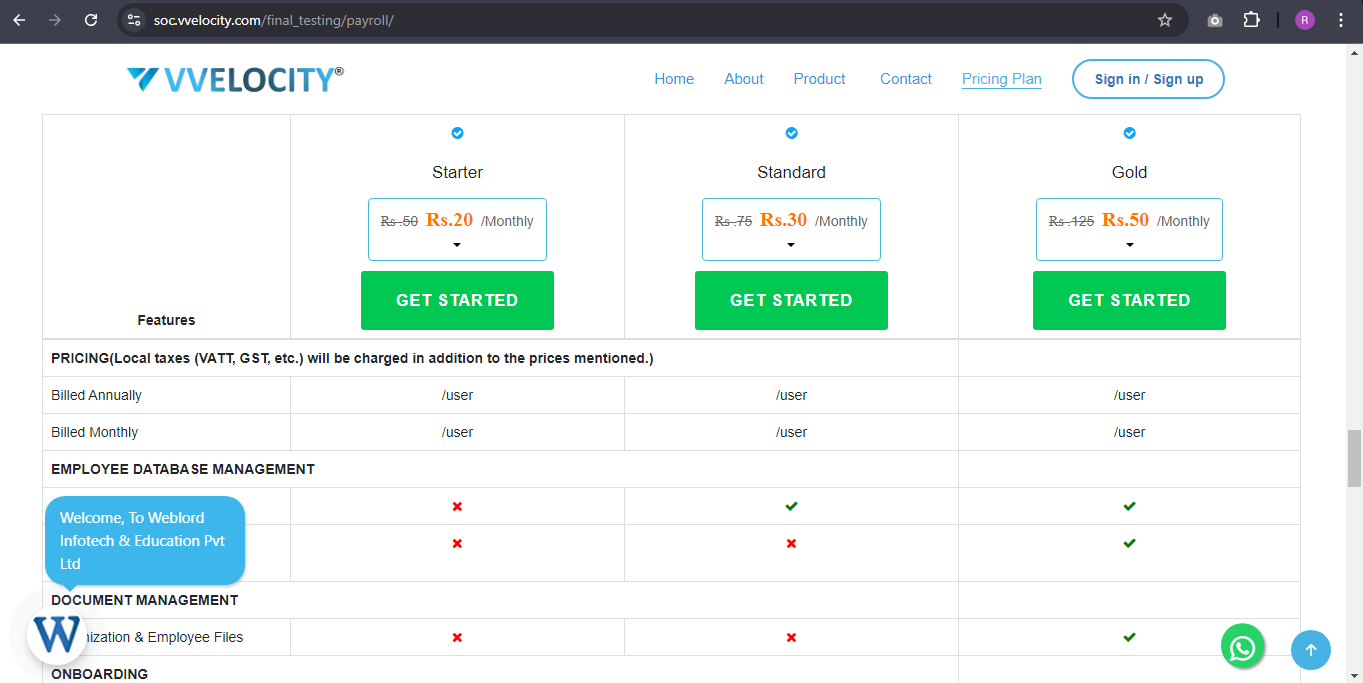
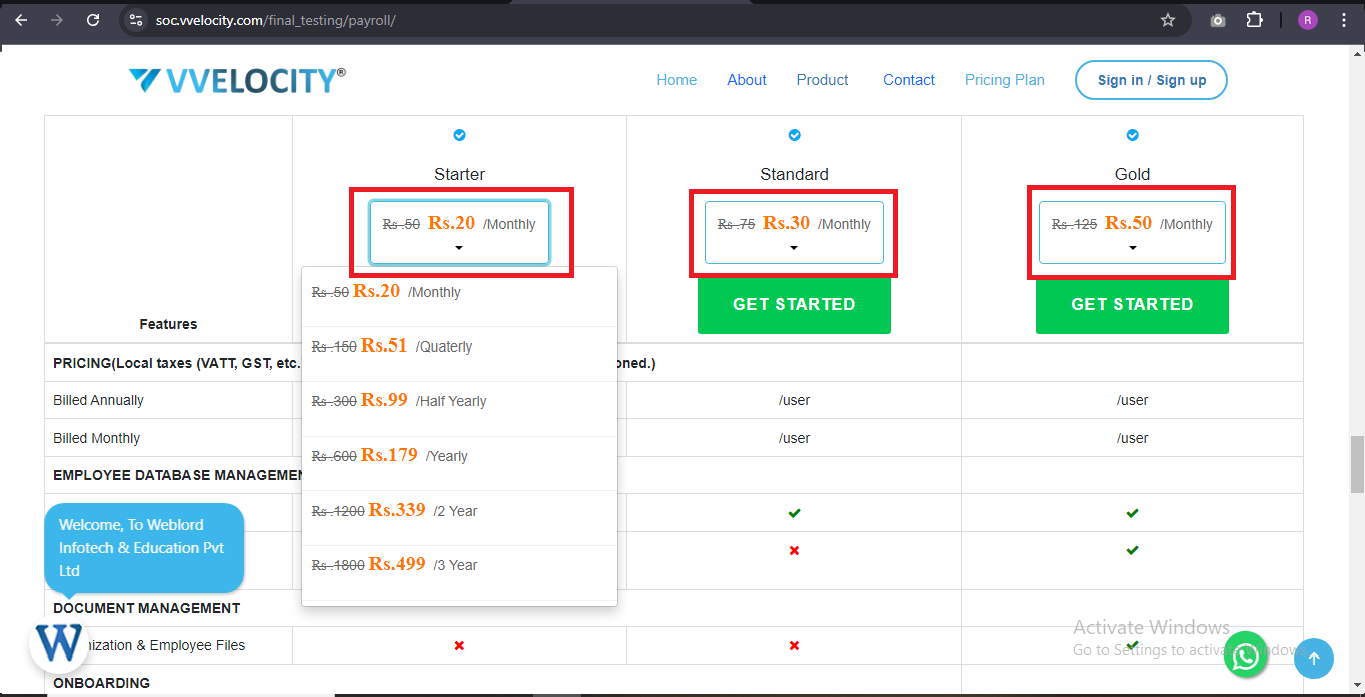
Select a plan that best suits your needs, with options available for specific months as well.
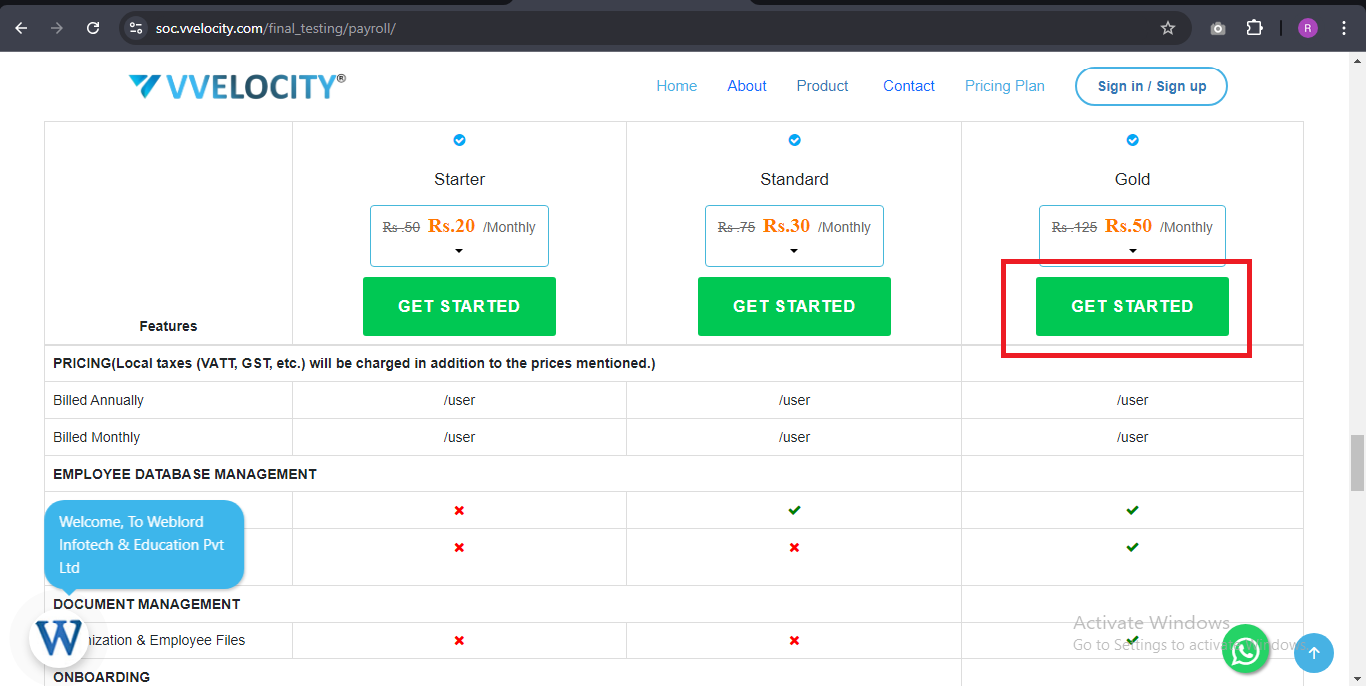
After choosing a plan, click on 'Get Started'. Then you will be redirected to the form.
Fill out the form and read the terms & conditions.
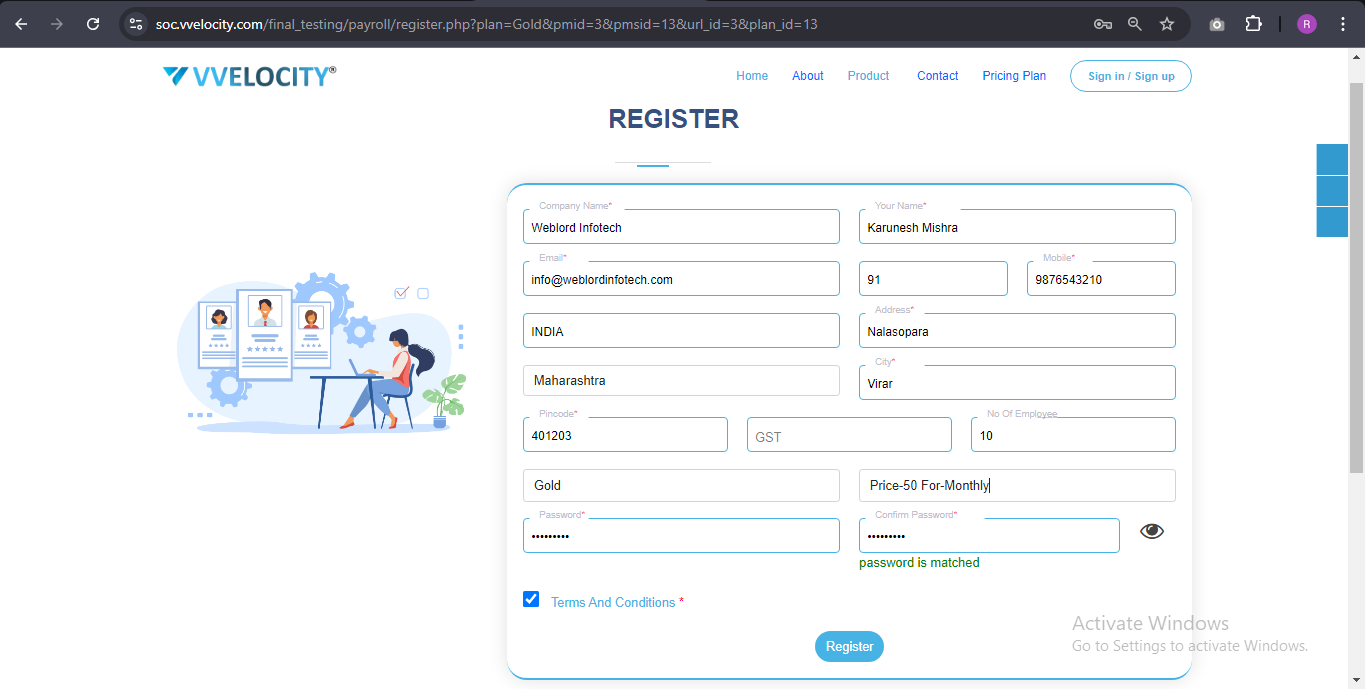
Click on Register button.
You will see a window displaying the payment details. Review them and click on 'Agree & Register'.
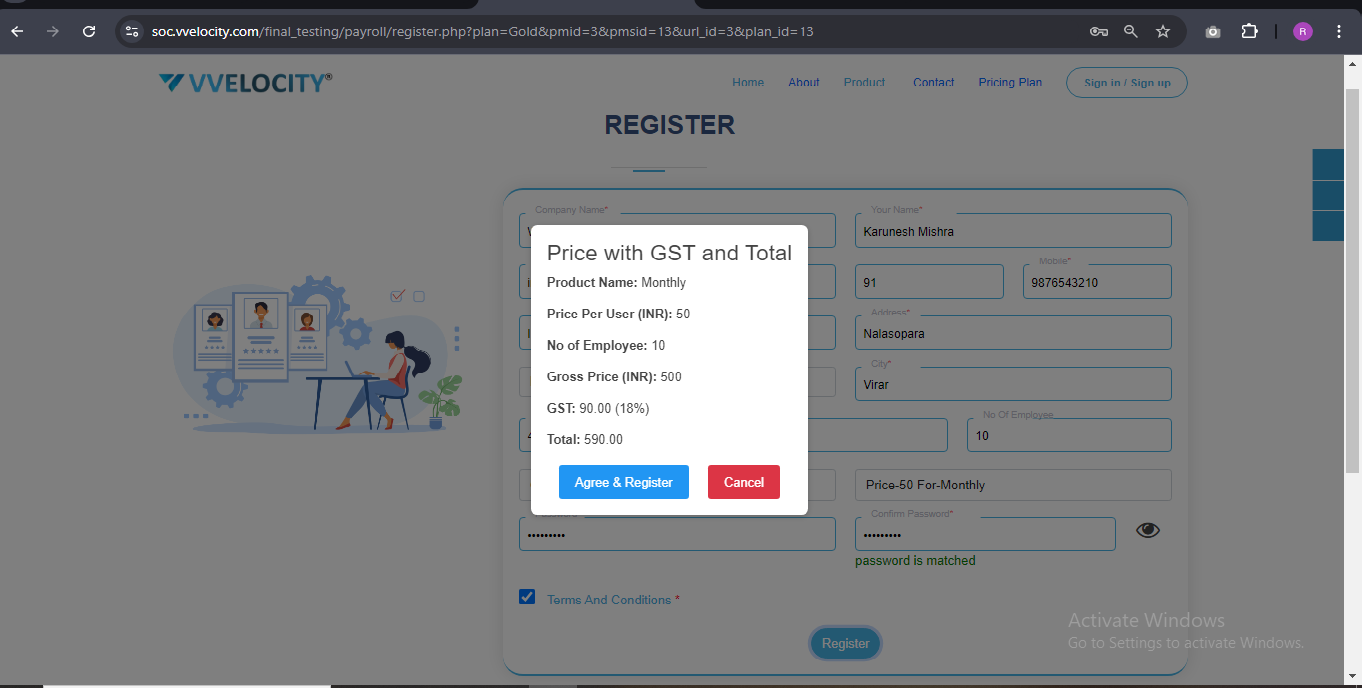
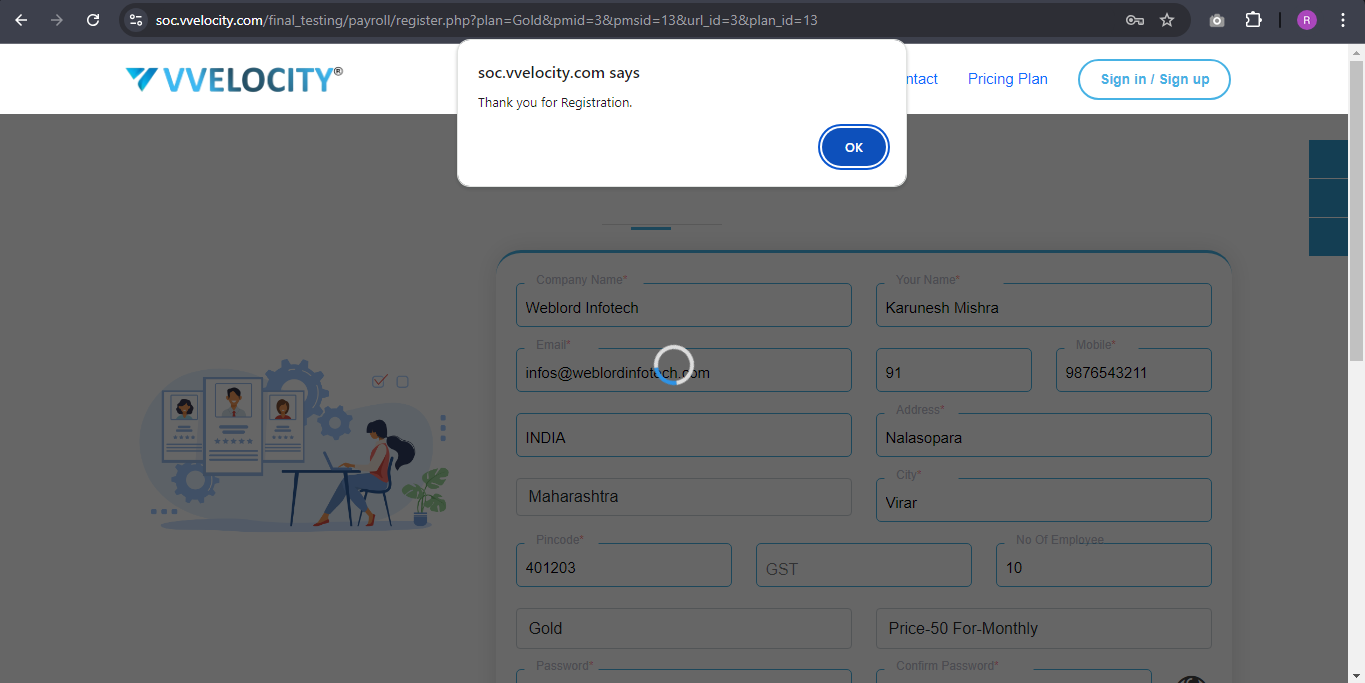
Now you can select your payment method and proceed.


After successful payment, you will be redirected to the thank you page.
Your login credentials and a link to your payroll system have been emailed to you. Please check your inbox.
